Summary: Outsourcing USB duplication services can reduce equipment costs, labor requirements, production errors, and shipping complexity. However, outsourcing is not always the better option. The decision depends on production volume, technical requirements, available personnel, and how frequently USB media needs to be prepared.
Why Would a Company Outsource USB Duplication Services Instead of Doing It Internally?
Copying files onto a USB flash drive is not difficult. Anyone with a computer can drag a folder onto a flash drive and wait for the transfer to finish. If a company needs five or ten USB drives prepared for an upcoming meeting, there is little reason to involve an outside service provider.
However, the process changes when a company needs 500, 1,000, or 10,000 USB drives prepared with identical content, verified for accuracy, labeled, packaged, and delivered by a specific date. At that point, USB duplication becomes less about copying files and more about managing a production process.
This is where companies begin evaluating whether to handle USB duplication internally or use a professional USB duplication service.
The Equipment Cost Is Only Part of the Equation
A company considering internal USB duplication will usually begin by looking at equipment. Professional USB duplicators can copy data to multiple flash drives simultaneously, and there are systems available for different production volumes and budgets.
Purchasing a duplicator is a reasonable option for companies with recurring production requirements. The equipment can be used repeatedly, and an experienced operator can prepare large batches without sending media to an outside vendor.
However, equipment ownership also introduces other responsibilities. Someone must maintain the duplicator, prepare master media, monitor production, troubleshoot failures, and determine whether the completed USB drives contain the correct information.
The company must also account for replacement equipment, spare parts, USB media inventory, and the physical workspace needed to operate the system.
For an organization duplicating USB drives every week, these costs may be justified. For a company preparing USB drives three or four times per year, purchasing equipment may be difficult to justify.
Labor Is Often the Expense Companies Underestimate
Consider a project requiring 1,000 USB flash drives with approximately 8GB of content on each device. The company already has the USB drives, and the files are ready for duplication.
Using a single computer and manually copying the content to each USB drive would require a considerable amount of employee time. Even with multiple USB ports, the operator must insert media, start the transfer, monitor completion, remove the finished drives, and repeat the process.
A professional duplicator can improve throughput by processing multiple USB drives simultaneously. However, the operator must still load and unload media, inspect failures, and keep track of completed quantities.
There is also an opportunity cost. If an employee normally works in IT, marketing, engineering, or administration, spending several days preparing USB drives means that employee is not performing their normal responsibilities.
The real cost of internal duplication is not simply the employee’s hourly wage. It includes the value of the work being delayed while that employee manages production.
Verification Is Different From Successfully Copying Files
One of the more important differences between basic file copying and professional USB duplication is the verification process.
When Windows reports that a file transfer is complete, the operating system has finished the requested operation. That does not necessarily mean every file has been independently read back and compared against the original source.
USB flash drives use NAND flash memory, controllers, and firmware to manage stored information. Drives can have different write speeds, capacity limitations, or underlying hardware problems. A flash drive that appears normal during a quick inspection may still have issues that become apparent during a larger transfer.
Professional duplication workflows can include read-back verification to compare the written data against the source. Depending on the duplication method, verification may involve file comparisons, checksums, or sector-level comparisons.
It is important to understand that verification does not guarantee a flash drive will never fail. It does provide a documented way to determine whether the expected content was written correctly at the time of production.
For companies distributing software, technical documentation, training materials, or other important content, this additional step can be valuable.
Not Every USB Duplication Project Is a Simple File Copy
Many USB projects involve more than placing files into a folder. Some customers require bootable operating systems, multiple partitions, proprietary file systems, or complete binary images of a master device.
For example, copying the visible files from a bootable USB drive onto another USB drive does not necessarily create a bootable duplicate. The original device may contain partition information, boot sectors, and other structures that are not reproduced through a conventional file copy.
These projects may require full-device imaging or another duplication method appropriate for the media and operating system.
There are also applications where customers need USB write protection to prevent changes to distributed content, or USB copy protection to restrict unauthorized duplication of supported files.
These features require additional planning because write protection, copy protection, and encryption serve different purposes. Selecting the wrong method can create compatibility problems or prevent the intended user from accessing the content.
A company performing these operations internally needs employees who understand the technical differences and have the equipment necessary to configure the media correctly.
Production Deadlines Create Another Consideration
USB duplication projects are frequently connected to events, product launches, training programs, or customer deliveries. In these situations, the deadline is often more important than the actual duplication process.
If a company needs 2,000 USB drives for a trade show, the drives must be completed before the event. A production delay can affect packaging, transportation, and the people responsible for distributing the finished product.
Internal production can work well when the company has sufficient equipment and trained personnel. However, if the only available duplicator develops a problem or the assigned employee becomes unavailable, the project may have limited alternatives.
An outside duplication service may offer additional production capacity and established procedures for managing larger orders. This does not eliminate the possibility of delays, but it can reduce the amount of production infrastructure the customer must maintain.
When evaluating a service provider, companies should confirm production schedules, verification procedures, media availability, and shipping requirements before approving the order.
USB Fulfillment Can Be More Complicated Than Duplication
There is another category of USB projects where outsourcing becomes particularly useful. These are projects where every USB drive does not contain the same information.
Consider a business distributing personalized photographs, medical training materials, customer records, or individual software packages. Each recipient may require a different collection of files, a specific label, and a separate shipping destination.
In this situation, the company is no longer duplicating one master USB drive. It is managing individual production orders that happen to use USB flash drives as the delivery media.
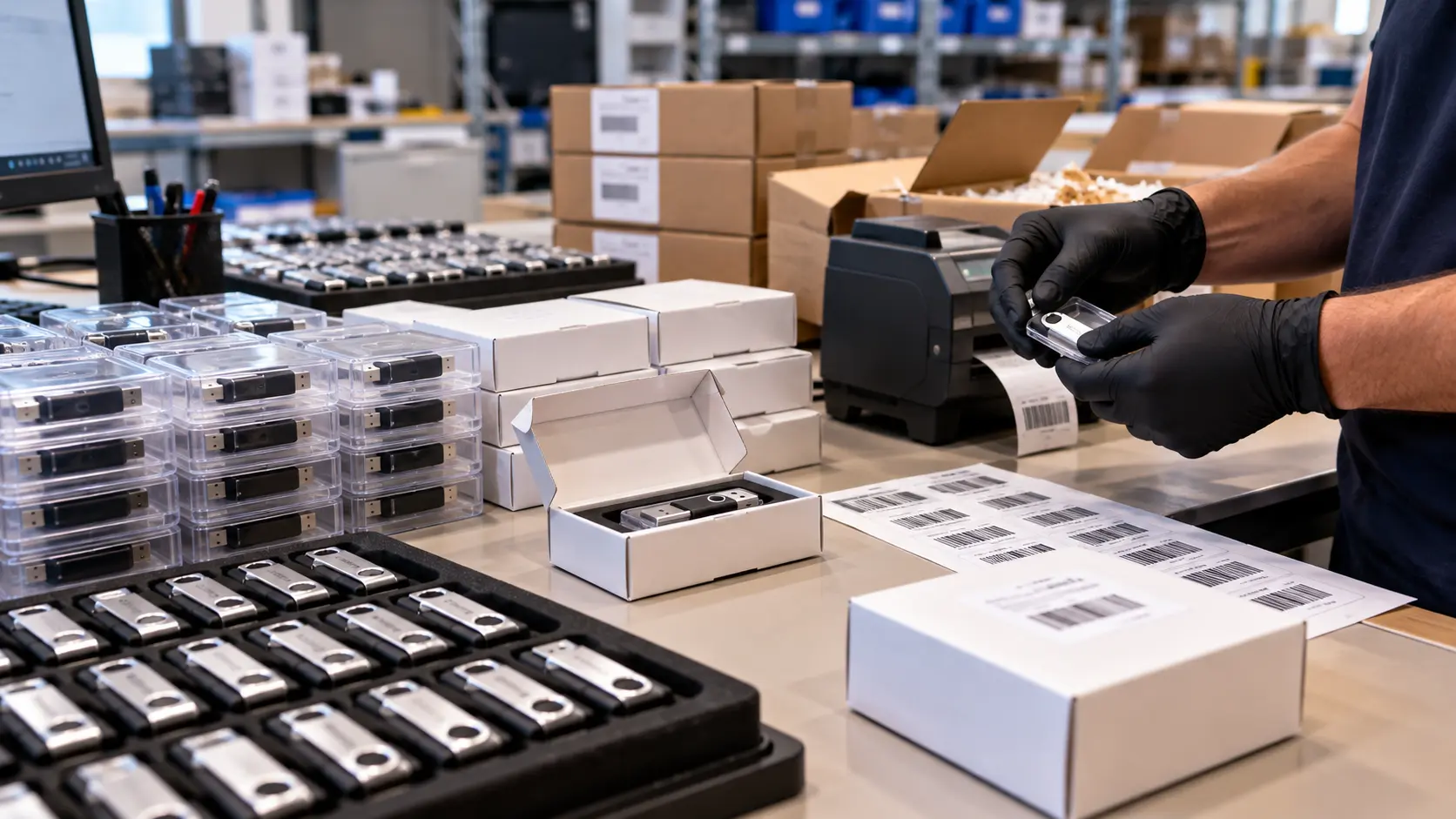
A properly designed USB fulfillment service can receive customer data, associate the correct files with an individual order, prepare the USB drive, verify the content, generate the shipping label, and package the completed device.
Barcode tracking and automated production software can help reduce manual handling and provide a way to associate each physical USB drive with its corresponding order.
For companies shipping hundreds or thousands of individualized USB drives, developing this process internally may require custom software, additional equipment, and employees dedicated to production and shipping.
Outsourcing the process allows the company to concentrate on creating and managing its content while the fulfillment provider handles the physical production and distribution.
What About Data Security and Confidential Information?
Outsourcing introduces a consideration that should not be overlooked: the customer must provide an outside company with access to the content being duplicated.
For promotional catalogs, public training materials, and marketing presentations, this may not be a significant concern. For confidential business documents, proprietary software, or regulated information, the decision requires additional review.
Companies should ask how source files are transferred, where the information is stored, who can access it, and what happens to the data after production is completed.
Depending on the application, appropriate safeguards may include confidentiality agreements, controlled access, secure transfer methods, data retention policies, and documented handling procedures.
Some organizations may determine that internal duplication is preferable because their security policies do not permit outside access to the information.
Others may find that a qualified service provider with appropriate controls can handle the production requirements without creating an unacceptable level of risk.
When Does Internal USB Duplication Make More Sense?
Outsourcing is not automatically the best choice. There are several situations where internal USB duplication can be the more practical option.
- Frequent production: A company preparing USB drives daily or weekly may justify purchasing professional duplication equipment.
- Small quantities: Preparing a handful of USB drives may not warrant an outside production order.
- Immediate changes: Engineering and software teams may need to update USB content repeatedly throughout the day.
- Confidential information: Internal policies may require certain data to remain within company-controlled systems.
- Existing personnel: Companies with trained operators and available equipment may already have the resources needed for production.
In some cases, a combination of both approaches makes sense. A company may maintain a small internal duplicator for testing, engineering, and emergency requirements while outsourcing larger production runs.
Comparing the Actual Cost of Both Approaches
The most useful comparison is not simply the price charged by a duplication service versus the purchase price of a duplicator. Companies should calculate the total cost of producing an acceptable, finished USB drive.
For internal production, that calculation may include equipment depreciation, employee labor, USB media, failed drives, verification time, packaging, inventory management, and shipping.
For outsourced production, the calculation should include the service charge, USB media costs, setup fees, transportation, and any internal time needed to prepare and approve the project.
As an example, assume a company needs 1,000 USB drives and estimates that internal production will require 20 hours of employee time. At a fully burdened labor cost of $40 per hour, the labor component alone would be $800, or $0.80 per drive. That amount does not include equipment, USB media, packaging, or shipping.
This is only an illustration. Actual labor requirements depend heavily on the amount of data, USB write speeds, duplication equipment, and production workflow.
However, the example demonstrates why the cost of internal production can be higher than expected, even when the company already owns the USB drives.
The Bottom Line
There is nothing inherently complicated about copying a few files onto a USB flash drive. The difficulty comes from repeating the process hundreds or thousands of times while maintaining consistent results, meeting deadlines, and managing everything that happens after the files have been copied.
Companies with frequent duplication requirements, trained personnel, and existing equipment may find internal production to be the most economical approach. Companies with occasional large orders, specialized technical requirements, or complex fulfillment needs may benefit from outsourcing.
The decision ultimately comes down to production volume, available resources, acceptable risk, and the cost of managing the entire process.
USB Copier provides professional USB duplication and data loading services, along with SD, microSD, NVMe duplication, write protection, copy protection, and custom fulfillment workflows. Companies evaluating internal production versus outsourcing can contact USB Copier to discuss their specific requirements.
Technical Note: This article is based on practical USB duplication workflows, flash memory behavior, and production considerations. Cost examples are illustrative rather than quoted service pricing. Actual production requirements depend on media performance, data volume, verification methods, and project specifications. USB Copier has provided flash memory duplication and related services since 2004.