Professional SD Card Duplication – From File Copy to Binary Imaging
SD card duplication can range from copying a simple group of files onto several hundred cards to reproducing a complete master image containing boot information, multiple partitions or a proprietary file system.
USBCopier provides professional SD card duplication services for both conventional and specialized production requirements. We can duplicate files and folders, write from master IMG files, add new content to cards that already contain data, and stream unique data to individual SD cards within the same production run.
For applications requiring more control over the physical media, USBCopier also offers specialized SD card services including CID reading, programmable CID values and hardware-level write protection.
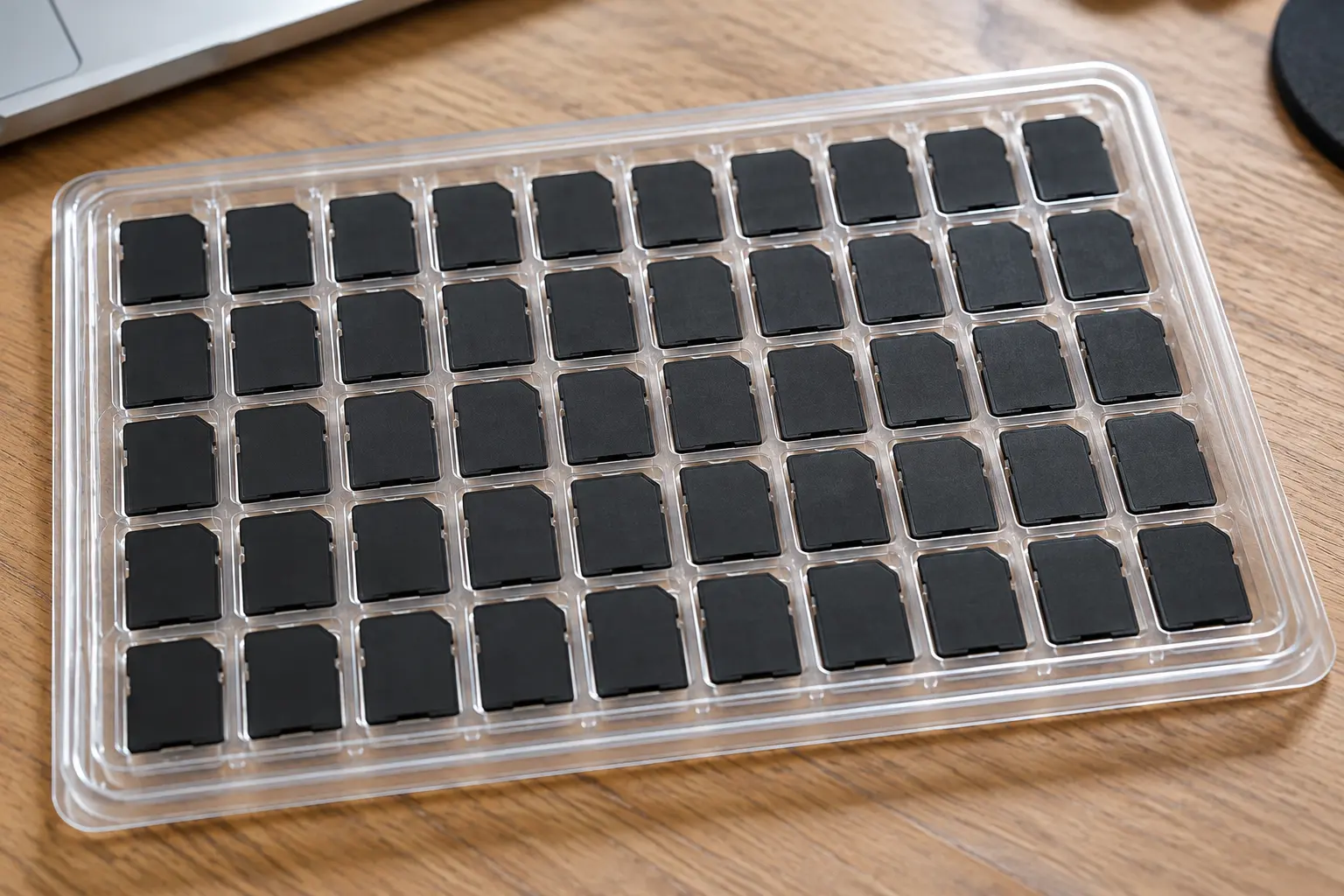
SD Card Duplication
Duplicate files, folders or complete IMG masters across small and large production quantities.
Unique Data Streaming
Individual SD cards can receive different data rather than every card receiving an identical copy.
Advanced SD Media
CID services and hardware write-protected SD media are available for specialized applications.
SD Card Duplication Methods
There is more than one way to duplicate an SD card. The correct method depends upon what is on the master card and what the finished media needs to do.
USBCopier supports three primary production methods: File Copy, Copy Add and binary IMG duplication.
File Copy
Files and folders are copied to the destination SD cards at the file-system level.
This is appropriate when the individual files are important but reproducing the exact sector structure of the master card is not required.
Copy Add
New files or folders are added to SD cards that already contain existing data.
This allows additional content to be incorporated without replacing the information already stored on the card.
Binary IMG Copy
A master IMG file is written at the sector level rather than copying individual files.
This method is appropriate when the complete structure of the master media needs to be reproduced.
File Copy vs. Binary SD Card Duplication
The distinction between file copying and binary duplication becomes important when SD cards are used for operating systems, embedded equipment or proprietary applications.
A file-copy operation works with the files and folders contained within a supported file system. The duplication system needs to understand the file system well enough to access and reproduce those files.
Binary duplication works differently.
Instead of interpreting individual files, a binary duplication process reproduces the data represented by the master image at the sector level. This allows the structure of the source media to be reproduced without relying upon a conventional file-copy operation.
Binary IMG duplication can be used for SD card structures created for Windows, macOS, Linux and proprietary systems.
Because the duplication process is working from the binary image rather than copying individual files, it can reproduce media structures that would not be appropriate for a conventional file-copy operation.
Duplicate SD Cards from a Master IMG File
For many technical applications, an IMG file is the preferred production master.
The image can contain much more than the visible files found on the card. Depending upon the source media, it may also include partition information, boot data, file-system structures and other information required by the target application.
USBCopier can use a supplied master IMG file as the source for an SD card production run, writing the image to the destination cards and verifying the completed media.
MASTER IMG → SD CARD → VERIFY → PRODUCTION COMPLETE
Add New Content to SD Cards Without Replacing Existing Data
Not every SD card production project starts with blank media.
An SD card may already contain software, configuration information, reference data or other content that needs to remain on the card while additional files are added during a later production stage.
USBCopier’s Copy Add process allows specified files and folders to be added to compatible SD media while retaining the existing data on the card.
EXISTING SD DATA + NEW CONTENT = COMPLETED SD CARD
This can be useful when SD cards arrive with base content already installed but require additional customer, product, regional or deployment-specific files before final distribution.
Unique Data Streaming to Individual SD Cards
An SD card duplication project does not necessarily mean every card must contain identical data.
USBCopier can also produce SD cards where individual cards receive different data during the same production workflow.
This makes it possible to associate a particular data set with a particular physical SD card rather than treating the entire production run as identical copies of one master.
↓
SD CARD 001
↓
SD CARD 002
↓
SD CARD 003
Unique data streaming can support applications where configuration files, device information, customer-specific content or other data varies from card to card.
If unique production data also needs to be connected with individual orders, labeling, shipping or tracking, USBCopier can develop a larger custom fulfillment workflow around the production requirement.
SD Card CID Services
Every SD card contains a Card Identification register, commonly referred to as the CID.
The CID contains identification information associated with the SD card and can be important in applications where software, equipment or production systems use the card’s identity as part of their operation.
USBCopier provides several specialized capabilities for applications involving SD card CID values.
Read CID
USBCopier can read the CID value from SD media when the card identification information is required as part of a production or data-collection process.
Program CID
For specialized applications, USBCopier offers SD media with programmable CID capabilities. Contact us to discuss media and configuration requirements.
Specialized Applications
CID-related production can support applications where an SD card’s identification value is used by software, embedded equipment or another system.
Hardware Write-Protected SD Cards
Some SD card applications require the finished media to remain read-only after production.
For supported SD media, USBCopier can incorporate hardware-level write protection into the production process after the required content has been loaded and verified.
This is different from simply changing a file attribute or relying upon software running on the host computer.
The finished SD media is configured to reject normal host write operations to the protected storage.
DATA →
DUPLICATE →
VERIFY →
WRITE PROTECT →
FINAL CHECK
Hardware write-protected SD media can be useful for embedded systems, security equipment, medical applications, industrial systems and other deployments where approved production data should remain unchanged after the card leaves production.
Interested in hardware write-protected SD cards? Contact USBCopier to discuss the media and configuration requirements for your application.
Hardware Write Protection vs. the SD Card Lock Switch
The small LOCK tab found on the side of a full-size SD card should not be confused with hardware-level write protection implemented by the storage media.
The mechanical tab does not electronically disable the NAND memory inside the card. Instead, compatible host equipment detects the position of the tab and is expected to honor the requested write-protect state.
Hardware-level write protection is different because the write restriction is implemented by the media itself rather than depending upon the host device to detect and honor the position of a mechanical switch.
SD Lock Tab
A physical indicator that compatible host equipment can detect and honor as a request not to write to the card.
Hardware Write Protection
The media itself is configured to reject normal write operations to the protected storage.
Already Have the SD Cards?
You do not necessarily need to purchase standard SD media from USBCopier to use our duplication service.
Customer-supplied SD cards can be evaluated for conventional duplication projects including file loading, Copy Add and binary image production.
The important consideration is whether the supplied cards meet the capacity, performance and configuration requirements of the production master.
Specialized media requirements are different.
Projects involving programmable CID values or hardware-level write protection should be discussed with USBCopier before media is selected so the required configuration and production process can be confirmed.
SD Card Duplication with Data Verification
Writing data to an SD card is only one part of a professional duplication process. The completed media also needs to be checked to confirm the production operation completed as expected.
USBCopier can incorporate data verification into the duplication workflow for both conventional and specialized SD card projects.
For technical applications, verification is especially important because an SD card may be used as boot media or installed inside equipment where a failure may not be discovered until the product is already in the field.
Common SD Card Duplication Applications
SD cards are frequently used as more than removable consumer storage. They can serve as production media, boot media, configuration storage and application-specific memory inside finished products.
Duplicate operating systems, application images and configuration data for embedded devices.
Produce SD media containing firmware, software, configuration files or machine-specific data.
Prepare controlled SD media for equipment, documentation, software or other specialized deployments.
Produce verified SD cards for security equipment and applications where consistent production data is required.
Write complete binary images containing boot information, partitions and Linux file-system structures.
Load common or unique configuration information onto cards before they are installed into finished products.
SD, microSD and USB Duplication
The production requirement often determines the media format.
USBCopier provides duplication services for SD cards, microSD cards and USB flash drives, including conventional data loading as well as specialized production workflows.
SD Card
File Copy, Copy Add, binary imaging, unique data streaming, CID services and specialized write-protected media.
microSD
High-density removable media duplication for embedded, security, industrial and other compact-device applications.
USB Flash Drive
Professional USB duplication including files, disk images, bootable media, partitions and hardware write protection.
Explore USB Duplication Services »
Need More Than SD Card Duplication?
Some projects require a single master duplicated across an entire production run. Others require individual data sets, card identification, order information or additional production records.
USBCopier can support both simple bulk duplication and more advanced data-driven production workflows.
For projects requiring unique data, individual order processing, labeling, shipping, tracking or proof-of-performance reporting, we can also discuss a custom fulfillment workflow.
SD Card Duplication FAQ
Can you duplicate an SD card from an IMG file?
Yes. USBCopier can use a master IMG file for binary SD card duplication. This allows the complete image represented by the master to be written to the destination media rather than simply copying individual visible files.
Can you duplicate Linux SD cards?
Yes. Linux SD card structures can be duplicated using binary imaging. Because the process operates from the master image rather than relying upon a conventional file-copy operation, Linux partitions and associated structures can be reproduced as part of the image.
Can you duplicate macOS or proprietary SD card formats?
Binary duplication can reproduce SD card images created for Windows, macOS, Linux and proprietary systems because the production process works from the binary master rather than requiring a conventional file-level copy of the source.
Can you duplicate an SD card with multiple partitions?
Yes. When the partitions are included within the master image, binary duplication can reproduce the image structure onto compatible destination media.
Can you add files without erasing the data already on the SD card?
Yes. Our Copy Add process can add specified files or folders to compatible SD cards while retaining the existing data already stored on the media.
Can every SD card receive different data?
Yes. USBCopier supports unique data streaming for applications where individual SD cards need different files or data sets rather than identical copies of one master.
Can you read an SD card CID?
Yes. USBCopier can read the CID value from SD media when the card identification information is required as part of the project.
Can you write or program an SD card CID?
USBCopier offers programmable CID capabilities for specialized SD card applications. Contact us with your requirements so we can discuss the appropriate media and production configuration.
Can you hardware write protect an SD card?
Yes. Hardware-level write protection is available for specialized SD card production. Contact USBCopier to discuss the media and configuration requirements for your application.
Is hardware SD write protection the same as using the LOCK switch?
No. The mechanical LOCK tab on a full-size SD card is detected by compatible host equipment, which is expected to honor the requested write-protect state. Hardware-level write protection is implemented by the media itself and does not rely upon the host detecting the position of a mechanical switch.
Can I supply my own SD cards?
Yes, customer-supplied SD cards can be evaluated for standard duplication projects. If the project requires programmable CID values or hardware-level write protection, contact us before selecting the media so the specialized requirements can be reviewed.
What is the difference between File Copy and binary SD card duplication?
File Copy reproduces selected files and folders through the file system. Binary duplication writes from a master image at the sector level and is appropriate when the complete structure of the source media needs to be reproduced.
Start Your SD Card Duplication Project
Tell us what the finished SD card needs to do.
If you have files and folders, we can determine whether File Copy or Copy Add is appropriate. If you have a complete master image, we can evaluate the project for binary IMG duplication.
If the application requires unique data, CID reading, programmable CID values or hardware write protection, include those requirements as well.
The objective is to select the duplication method based upon how the finished SD card will actually be used – not simply copy data from one card to another.