Not All USB Duplication Methods Are the Same
When a company needs 100, 500, or several thousand USB flash drives loaded with data, the first assumption is often that someone in the office can copy the files using a computer and a USB hub. For a small number of drives, that approach may work. As production quantities increase, however, the process can become surprisingly inefficient.
The reason is that copying files, duplicating a partition, and creating a full binary image of a storage device are three different operations. Each method processes data differently, and each has advantages depending on the type of content being duplicated.
In simple terms: File Copy transfers individual files and folders through the operating system. Partition Image duplication reproduces the contents and structure of a selected partition. Full Disk Image duplication copies the logical sectors of the entire storage device, including partition tables, boot information, and unused space.
Understanding these differences helps determine which method is appropriate for a particular USB production project.
Method 1: File Copy Duplication
File Copy is the most familiar method of transferring data onto a USB flash drive. A computer reads files and folders from a source location and writes them to the destination USB drive using its existing file system.
For example, a company distributing PDF manuals, training videos, marketing presentations, or product catalogs may only need the same collection of files placed onto every USB drive. In these situations, File Copy is often the correct approach because the underlying structure of the storage device is not important.
File Copy typically transfers:
- Individual files and folders
- Documents, videos, audio, and application files
- Directory structures and subfolders
- Selected file attributes and metadata
- Hidden files when the copy software is configured to include them
What File Copy does not normally reproduce is the original disk partition table, boot sectors, unallocated space, or exact logical sector layout.
This distinction becomes important when the USB drive contains a bootable operating system, specialized software environment, or proprietary data structure.
Why File Copy Can Be Extremely Slow for USB Production
One of the most overlooked differences between File Copy and disk image duplication is the amount of processing required to complete the job.
When an employee drags and drops a collection of files onto a USB drive, the computer is not simply transferring one continuous stream of data. The operating system must perform a series of file system operations for each file and directory.
For every file being copied, the computer must locate the source file, interpret its file system metadata, identify the data blocks, create a destination file entry, allocate storage space, transfer the data, and update the destination file system.
Additional operations may be required to preserve timestamps, attributes, directory information, and other metadata.
With FAT32 and exFAT file systems, these operations involve allocation structures and directory entries. NTFS uses different metadata structures, but the underlying issue is similar.
The operating system can reduce some of this overhead through caching and buffering. Nevertheless, file-by-file copying requires considerably more file system management than transferring a large sequential block of data.
The Small-File Performance Problem
Consider two USB duplication projects containing the same total amount of data.
The first project contains a single 10GB video file. The second contains 10GB of data distributed across 50,000 documents, images, and small application files.
Although both projects contain the same amount of information, the second project can take substantially longer to copy.
Every individual file introduces additional operations. Directories must be created, file allocation information must be updated, and the destination flash controller must process a large number of relatively small writes.
This is where advertised USB write speeds can become misleading. A flash drive capable of writing large sequential files at 80MB per second may perform significantly slower when handling thousands of small files.
The performance difference is caused by the combined overhead of the operating system, file system, USB communication, and internal flash controller operations.
For an occasional office transfer, this may be little more than an inconvenience. For repetitive USB production, the additional time can become a significant problem.
Now Connect Five or Seven USB Drives to a Hub
The situation becomes more complicated when multiple USB drives are connected to the same computer.
Imagine a Windows PC connected to a USB hub containing seven flash drives. The operator wants to copy 100 files organized into a dozen folders onto every device.
The computer must now manage seven independent destination file systems. Each drive requires its own directory creation, file allocation, metadata updates, and write operations.
If the USB drives share the same hub or upstream USB controller, they also share the available communication bandwidth.
Meanwhile, each flash drive has its own internal controller responsible for translating logical writes into physical NAND flash operations. Those controllers may respond at different speeds, even when the drives appear identical.
Adding more USB drives does not automatically increase production throughput proportionally. Depending on the computer, hub, software, and flash media, the average transfer rate per device may decrease considerably.
CPU utilization, memory buffering, file system operations, USB bandwidth, and flash write performance all contribute to the final result.
This is why ordinary desktop File Copy is often a poor choice for repetitive in-house USB production. The process may work correctly, but the amount of time required to complete and manage each batch can become inefficient.
It is important to distinguish ordinary Windows file copying from professional File Copy duplication. Dedicated duplication systems can use optimized buffering, parallel device management, and controlled production workflows to make file-based duplication considerably more efficient.
Method 2: Partition Image Duplication
Partition Image duplication operates at a lower level than File Copy. Rather than processing individual files, the duplication system reproduces the contents and structure of a selected partition.
A partition is a defined section of a storage device that may contain a file system, operating system, application data, or another type of storage structure.
A USB drive may contain one partition or several partitions, each serving a different purpose.
For example, an industrial controller might use one partition for its operating system and another partition for configuration information. Partition imaging allows a selected partition to be reproduced without necessarily duplicating the entire physical storage device.
Depending on the imaging method, partition duplication may include:
- The selected partition’s file system structure
- Boot records located within the partition
- Hidden files and system directories
- File system metadata and allocation information
- Unused sectors within the partition when using raw sector imaging
Some partition imaging systems copy every logical sector within the selected partition. Others use intelligent imaging methods that copy only the sectors containing recognized file system data.
These approaches can produce functionally equivalent results, but they are not necessarily identical at the binary level.
Partition imaging also does not automatically reproduce the disk partition table, other partitions, or boot information located outside the selected partition.
Typical application: Duplicating a specific operating system or data partition without copying the entire storage device.
Method 3: Full Disk Image or Binary Duplication
Full Disk Image duplication, also called Full Device Copy or Binary Copy, operates at the logical sector level of the storage device.
Instead of interpreting individual files or selecting partitions, the duplication system reads logical block addresses (LBAs) from the master device and writes the corresponding data to the target device.
In a complete sector-by-sector duplication process, every logical sector within the selected address range is copied, regardless of whether it contains active file data, partition information, or unused space.
A full binary copy can reproduce:
- Master Boot Record (MBR) structures
- GUID Partition Table (GPT) structures
- Primary and backup GPT information
- Boot loaders and operating system data
- Multiple partitions, including hidden partitions
- File system metadata
- Unallocated logical sectors
- Proprietary data structures not recognized by Windows or macOS
This makes Full Disk Image duplication useful for bootable operating systems, embedded Linux devices, recovery environments, industrial controllers, and applications using proprietary storage formats.
There is one important technical distinction. Binary duplication copies the logical sectors exposed by the storage device. It does not directly reproduce the physical NAND flash layout.
Flash controller firmware, factory configuration information, bad-block management tables, and other controller-level data are generally not accessible through ordinary USB storage commands.
Typical application: Reproducing a complete logical storage device when partition structure, boot information, and sector-level data must be preserved.
Comparison: File Copy vs. Partition Image vs. Full Disk Image
| Feature | File Copy | Partition Image | Full Disk Image |
|---|---|---|---|
| Copies files and folders | Yes | Within image | Within image |
| Preserves file system structure | No | Yes | Yes |
| Copies disk partition table | No | Not normally | Yes |
| Copies all partitions | No | Selected partition | Yes |
| Copies unused sectors | No | Depends on method | Yes |
| Preserves disk-level boot information | No | Not necessarily | Yes |
| Supports unknown file systems | Limited | With raw imaging | Yes |
| Processing overhead | File-by-file | Block-based or optimized | Sequential sector-based |
| Typical production use | Document and media distribution | Selected system partitions | Complete device replication |
Why Two USB Drives With Identical Files May Behave Differently
Consider a bootable Linux USB drive. When viewed through Windows, the device may display a collection of folders and files that appear easy to copy.
A customer could transfer those files onto another USB drive and assume the second device would operate exactly like the first.
However, the original device may contain a specific partition table, boot loader, file system configuration, and additional information that ordinary File Copy does not reproduce.
The destination USB drive could contain every visible file from the master and still fail to boot.
Full Disk Image duplication addresses this problem by reproducing the logical disk structure along with the data.
Even with a complete disk image, the target storage device must still meet the application’s requirements for capacity, logical sector size, firmware compatibility, and other hardware characteristics.
Why USB Capacity Matters for Binary Duplication
Another common misconception is that two USB flash drives advertised with the same capacity have exactly the same number of available logical sectors.
That is not always the case.
Two flash drives sold as 32GB products may report slightly different logical block counts because of controller configuration, manufacturing differences, or reserved storage capacity.
If the master device contains more logical sectors than the target device, a complete binary image may not fit, even when both drives are labeled with the same advertised capacity.
GPT-formatted storage introduces an additional consideration. A standard GPT layout places backup partition information near the end of the disk.
When a disk image is restored to media with a different logical capacity, the backup GPT structures may need to be relocated or repaired. A straightforward binary copy does not automatically resolve this difference.
This is one reason professional USB production begins with selecting and qualifying the appropriate master and target media.
How Professional USB Duplication Verification Works
Completing a write operation does not necessarily mean the destination USB drive contains a correct copy of the source data.
A computer may report that a file transfer has finished, but that alone does not establish that every byte can be read back correctly from the target device.
Professional duplication workflows can include several levels of verification.
File-Level Verification
For File Copy projects, verification may involve comparing file sizes, file counts, directory structures, or calculated checksums against the original source files.
Checksum algorithms such as MD5 or SHA-256 can be used to compare file contents. When calculated from data read back from the destination, matching checksums provide strong evidence that the transferred files match the originals.
Sector-Level Verification
For disk image duplication, a system may read the target device’s logical sectors and compare them against the master image or expected data.
This approach can detect differences that file-level verification would not necessarily identify, including changes in partition structures, boot records, or other non-file data.
Production Error Reporting
A production duplication system should also identify devices that fail during writing or verification.
This allows an operator to separate successful copies from failed units instead of assuming every connected USB drive completed the process correctly.
Verification does add processing time, but it is an important part of producing reliable storage media, particularly for software distribution, industrial equipment, and other applications where missing or incorrect data can cause problems.
Why In-House USB Duplication Can Become Expensive
Transfer speed is only one part of the production process. Employee time, equipment handling, verification, and packaging must also be considered.
For example, an office employee assigned to produce 500 USB drives may need to repeatedly connect media, start copy operations, wait for completion, inspect results, remove completed drives, and prepare the next batch.
When using a standard computer, the employee may also need to manage failed transfers, disconnected devices, inconsistent formatting, and unexpected Windows notifications.
Even if the actual data transfer requires only a few minutes per batch, the repeated handling and administrative work can consume considerable time over a large production run.
There is also the possibility of human error. A folder may be omitted, files may be copied into the wrong directory, or a drive may be removed before all pending write operations have completed.
These problems are not unique to office computers, but repetitive manual workflows create more opportunities for mistakes.
Dedicated duplication systems are designed to reduce these operational issues through simultaneous device processing, controlled job settings, completion reporting, and verification.
For companies that only need USB media occasionally, purchasing and maintaining duplication equipment may not be economically justified.
Outsourcing the project can eliminate the need to purchase equipment, train employees, manage media compatibility, and dedicate office resources to repetitive production tasks.
For more information about production options, see our USB duplication services.
Formatting Consistency Is Also Important
Another advantage of a controlled production workflow is consistent storage configuration.
USB flash drives can be formatted using FAT32, exFAT, NTFS, or other file systems. Each has different compatibility characteristics, maximum file sizes, and metadata structures.
Production requirements may also specify volume labels, allocation unit sizes, partition layouts, or particular boot configurations.
For example, FAT32 has a maximum individual file size of approximately 4GB. A customer distributing a single 6GB video file would need to select a different file system or modify the content.
Inconsistent formatting can create compatibility problems, particularly when the finished USB drives are intended for televisions, medical equipment, industrial controllers, or embedded systems.
A properly defined duplication workflow ensures that the target media is prepared using the required configuration before data is loaded.
Additional Production Options: Write Protection and Fulfillment
Some projects require more than copying data onto a USB flash drive.
For example, a software publisher may need media that cannot be modified after production. A medical equipment manufacturer may need USB drives containing specific software versions with hardware-enforced write protection.
Hardware write protection is different from simply setting files or folders to read-only. A file attribute may be changed by software, while a properly implemented hardware write-protection mechanism can prevent modification of the protected storage area.
USB Copier supports projects involving USB write protection, data loading, and production fulfillment, including labeling, packaging, and shipping requirements.
These services can be combined with the appropriate duplication method depending on the customer’s application.
Frequently Asked Questions About USB Duplication
How long does it take to duplicate 500 USB flash drives?
Production time depends on the amount of data, number of files, write performance of the USB media, number of available duplication ports, and verification requirements. Packaging and labeling can also affect turnaround time. A small file-loading project may complete much faster than a full binary image containing tens of gigabytes of data.
Is disk image duplication always faster than File Copy?
No. File Copy can be faster when the source contains relatively little data compared with the total capacity of the storage device. Full binary duplication may require copying every logical sector, including unused space. However, disk imaging can be more efficient when processing large numbers of small files or complex directory structures.
Can a bootable USB drive be duplicated using File Copy?
Not reliably in every situation. A bootable USB drive may depend on partition tables, boot sectors, and other structures that ordinary File Copy does not reproduce. Partition imaging or full disk image duplication is generally more appropriate when boot functionality must be preserved.
Can duplicated USB drives be made read-only?
Yes, when compatible media and the appropriate write-protection technology are used. Hardware write protection can prevent modification of protected storage areas. This should not be confused with ordinary read-only file attributes, which do not provide the same protection.
Are all 32GB USB drives compatible with the same disk image?
Not necessarily. Two USB drives with the same advertised capacity may have different logical sector counts. A full disk image must fit within the available logical storage space, and the target must also meet the application’s sector-size and hardware compatibility requirements.
Choosing the Right USB Duplication Method
There is no single duplication method that is best for every application.
File Copy is appropriate for general document distribution, marketing content, training materials, and other projects where the files themselves are the primary concern.
Partition imaging is useful when a particular partition must be reproduced while leaving other areas of the storage device outside the duplication process.
Full Disk Image duplication is appropriate when the complete logical storage structure must be preserved, including partition tables, boot information, and data that may not be recognized by a conventional operating system.
The most efficient production method is the one that meets the technical requirements of the finished device while minimizing unnecessary processing, compatibility problems, and handling time.
At USB Copier, we work with customers to determine the appropriate duplication process for their application, whether the project involves ordinary file loading, bootable USB media, specialized storage formats, or large-scale distribution.
For information about a production project, visit our USB duplication services page or call (949) 481-6479.
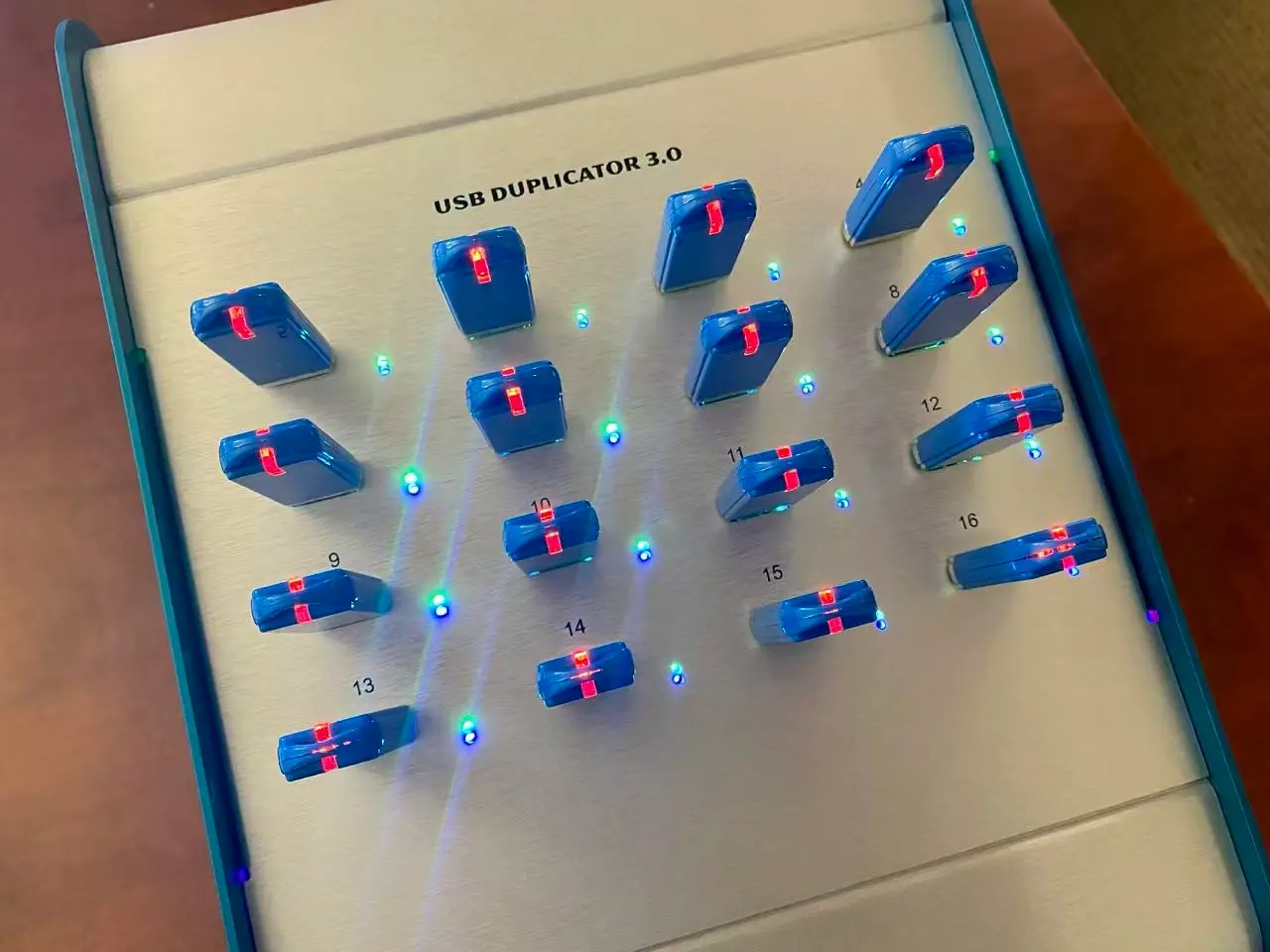
Technical Note: This article reflects practical experience with USB and flash storage duplication workflows, including file system operations, partition structures, logical block addressing, binary imaging, and production verification. Actual performance and compatibility depend on the storage controller, flash media, operating system, and duplication method. Image used for this article is from a USBCOPIER.COM production unit.